Last Updated: November 22, 2026
Quick Summary
The best laser engraving for leather is a CO2 laser, which produces clean, high-contrast marks on vegetable-tanned stock and cuts thin leather cleanly. A blue diode laser costs less and suits light engraving on thin, finished leather, but it cannot cut thick hides.
- Power determines whether you can cut leather, not whether you can engrave it.
- Prioritize focus repeatability over raw wattage if you plan to run batches.
- Build settings from a documented test grid, not guessed forum posts.
- Run air assist low for engraving and higher for cutting leather.
- Never laser PVC, PU, or unconfirmed coated leathers due to acrid fumes.
Table of Contents
- What to Look for in a Laser Engraver for Leather
- CO2 vs. Diode Laser for Leather: Which One Belongs in Your Shop
- Top Laser Engravers for Leather by Workload and Budget
- Laser Settings for Engraving Leather: Building a Repeatable Test Procedure
- Laser Engraving Leather Patches: Getting Clean Edges on Thin Stock
- Laser Engraving Leather Bags: Handling Curves, Seams, and Finished Goods
- Leather Safety, Fumes, and Identifying the Right Material
- Total Cost of Ownership and Software Workflow
- Requesting a Quote for Custom-Engraved Leather Keepsakes
- Frequently Asked Questions
What to Look for in a Laser Engraver for Leather
Choosing the best laser engraving for leather starts with three specs: usable work area, real optical power, and a focus system you can repeat. Leather is unforgiving of inconsistency, so the machine that wins is the one that holds the same setting across an entire batch.
Buyers often chase wattage numbers and overlook repeatability. A 60W machine that drifts out of focus mid-batch can produce worse patches than a 20W machine with a fixed bed and a reliable test routine.
Power, Work Area, and the Specs That Actually Matter
Power determines whether you can cut leather, not whether you can engrave it. Most leather engraving happens in a narrow band of low power and moderate speed, so headroom matters less than control at the low end.
Work area decides what fits. A leather portfolio needs a bed roughly the size of a sheet of paper plus margins. A bag panel needs considerably more. Measure your largest planned blank before you compare machines.
Focus is the spec nobody advertises. Fixed-focus and autofocus systems repeat; manual focus wheels drift. If you plan to run batches, prioritize repeatability over raw wattage.
CO2 vs. Diode Laser for Leather: Which One Belongs in Your Shop
A CO2 laser is the better default for leather engraving. It produces clean, high-contrast marks on vegetable-tanned stock, cuts thin leather cleanly, and handles thick hides that a diode cannot cut at all. A diode laser costs less and suits light engraving on thin, finished leather.
The trade-off is real. CO2 machines need more space, more ventilation, and more maintenance. Diodes are compact and beginner-friendly but struggle with cutting depth and sometimes leave a darker, less crisp edge on natural leather.
When a Blue Diode Laser Makes Sense
A blue diode laser makes sense for a small shop engraving names, logos, and simple custom designs on leather patches and thin finished leather. It fits a modest budget and a modest bench.
It stops making sense the moment you need clean cuts through veg-tan, deep engraving depth, or production volume. For that work, a CO2 laser is the correct tool.
Top Laser Engravers for Leather by Workload and Budget
There is no single best machine, only the best fit for your workload. We group buyers into two camps: small shops that need one reliable machine, and production shops that need throughput and consistency. Match yourself to a camp before you compare specs.
Best for Beginners and Small Shops
Beginners should prioritize a modest CO2 laser with a fixed bed, reliable fume extraction, and a work area large enough for patches and small goods. Skip the cheapest diode if leather is your main material. The savings vanish the first time you need a clean cut.
Look for: a bed at least large enough for an A4-sized blank, a focus system you can set and forget, and a manufacturer with accessible documentation.
Best for High-Volume Production
Production shops need throughput, consistent results across multiple passes, and a machine sized to the largest piece you regularly run. Prioritize bed size, a stable motion system, and ventilation rated for continuous operation.
| Workload | Machine Type | Priority Spec | Watch Out For |
|---|---|---|---|
| Hobby, patches | Low-power CO2 or blue diode | Focus repeatability | Diode cutting limits |
| Small shop, gifts | Mid-power CO2 | Work area, ventilation | Manual focus drift |
| High volume | Higher-power CO2 | Throughput, motion stability | Undersized fume extraction |
Laser Settings for Engraving Leather: Building a Repeatable Test Procedure
Laser settings for engraving leather should be built from a documented test grid, not guessed from a forum post. Leather varies by tannage, thickness, finish, and even by location on the same hide, so the only reliable setting is the one you proved on your own stock.
Starting Ranges by Laser Class
Use these as starting points only, then bracket them with your own grid. Every machine, lens, and leather behaves differently, so treat these as the center of your first test, not a final answer.
| Laser class | Typical engraving power | Typical speed | Passes | Focus |
|---|---|---|---|---|
| Blue diode (10W-20W optical) | 15-35% | 80-150 in/min | 1-2 | Surface focus, air assist on |
| CO2 (40W-60W) | 8-20% | 150-300 in/min | 1 | Surface focus, air assist on |
| CO2 (80W-100W) | 5-15% | 250-450 in/min | 1 | Surface focus, air assist on |
| Fiber (for coated or synthetic leather only) | 10-25% | 200-400 in/min | 1-2 | Surface focus |
Typical engraving power
For cutting thin veg-tan on a CO2, a common starting point is 30-45% power at 15-25 in/min with air assist, then adjust in small increments. Diode cutting of leather is limited to very thin stock and usually produces a charred edge that needs cleanup.
The Test Grid Procedure
- Cut identical samples from the same hide, at least 2 in × 2 in each, and label them with a permanent marker before you start.
- Fix speed at a mid-range value and run a power ladder in 5% increments across the samples.
- Repeat the ladder at a second speed, one step faster and one step slower than your first.
- Add a passes column: run your best two combinations at one pass and two passes to see whether a second pass improves depth without scorching.
- Inspect each sample under raking light for contrast, edge sharpness, residue, and depth. Photograph the winners next to a ruler.
- Record the winning power, speed, passes, focus offset, air-assist setting, leather supplier, tannage, and date on a card taped to the machine.
Focus, Air Assist, and the Variables That Break a Batch
Focus is the variable that ruins more batches than power. A fixed-focus bed or autofocus system repeats; a manual focus wheel drifts as the machine warms up. Set focus on a representative area of the actual blank, not on the bed, and re-check it after the first few minutes of runtime.
Air assist does two jobs on leather: it clears smoke before it redeposits as residue, and it reduces flare on thin stock. Run it low for engraving and higher for cutting. Too much air on thin leather can lift the material or cause vibration marks.
Watch out: settings that look perfect on a scrap corner often fail on a full panel because focus changes across the bed and because leather thickness varies. Test on a full-size blank before committing to a production run.
Troubleshooting Common Leather Engraving Defects
- Scorching and dark halos: reduce power, increase speed, or add a second pass at lower power. Check that air assist is actually reaching the cut.
- Uneven marks across the panel: re-level the bed, confirm focus at multiple points, and check that the leather is flat and clamped.
- Residue and sticky edges: increase air assist, reduce power, and clean the piece with a soft brush and a leather-safe cleaner after engraving.
- Loss of fine detail: slow down slightly, reduce power, and confirm your image resolution and dot width. Raster engraving at too low a resolution blurs small text.
- Persistent odor: this is usually a ventilation problem, not a settings problem. See the safety section below.
You can verify engraving quality with inspection steps that confirm the mark will hold up after finishing and handling.
Laser Engraving Leather Patches: Getting Clean Edges on Thin Stock
Laser engraving leather patches rewards low power and controlled speed. Thin stock scorches fast, so the goal is a crisp mark with minimal darkening at the edges.
Finished leather behaves differently from natural leather, so do not carry settings across materials.
Laser Engraving Leather Bags: Handling Curves, Seams, and Finished Goods
Laser engraving leather bags is a fixturing problem more than a settings problem. A bag is not flat, seams sit at odd angles, and the surface curves away from the lens.
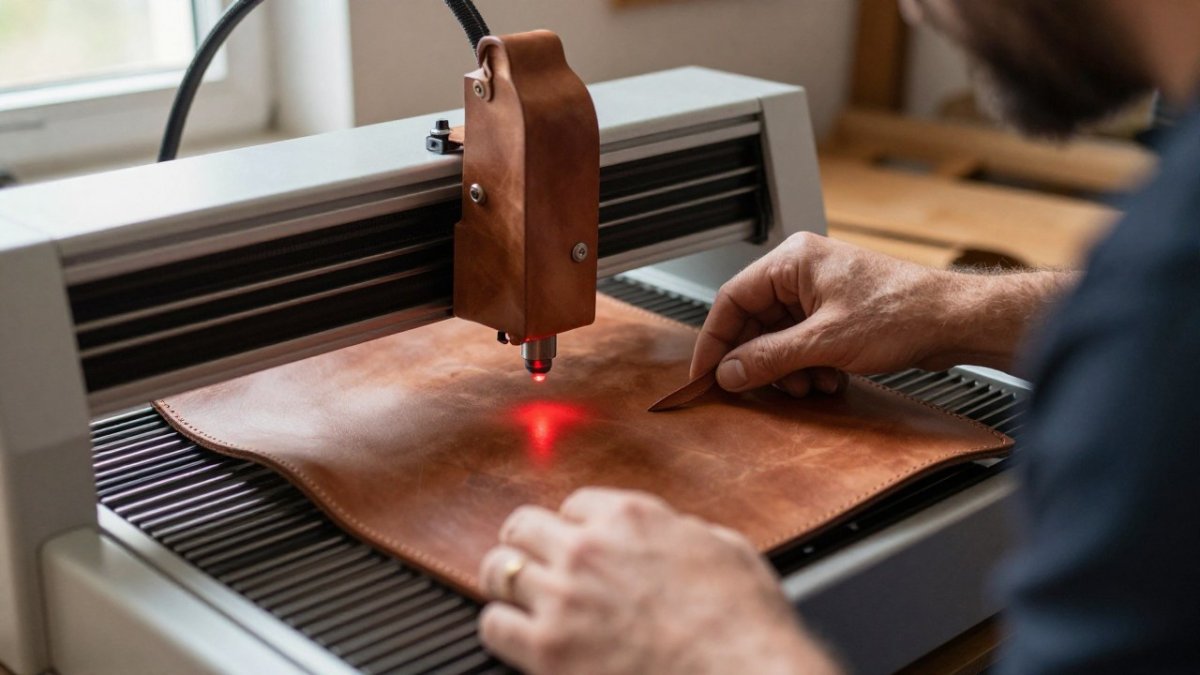
If you are weighing whether custom leather work is worth it for corporate gifting, our guide to custom leather portfolio engraving for corporate gifts covers leather types, logo placement, and bulk planning.
Leather Safety, Fumes, and Identifying the Right Material
Leather engraving produces fumes, and some leathers should never go in a laser at all. This is the section most buying guides skip, and it is the one that determines whether your shop is safe and whether your marks come out clean. Treat material identification and ventilation as part of machine selection, not an afterthought.
What Leather Emits When Laser Engraved
Chrome-tanned leather, tanned with chromium salts, can release chromium compounds and other irritants when burned, and the char often looks gray and muddy rather than crisp.
Coated, bonded, and synthetic leathers are the highest-risk category. Polyurethane (PU) and polyvinyl chloride (PVC) coatings can melt, produce acrid and potentially corrosive fumes, and leave residue that damages lenses and mirrors. Bonded leather is leather fiber held together with binder; it engraves inconsistently and can emit binder fumes. If you cannot confirm what a material is, do not put it in the machine until you have tested a small piece under ventilation.
Ventilation and Filtration: What to Specify
Recirculating a filter back into the room is a compromise, not an equivalent: filters must be matched to the contaminants, replaced on schedule, and monitored for breakthrough.
When specifying a machine, ask for the rated exhaust airflow and the duct diameter, and confirm the fan can overcome the static pressure of your duct run. A long run with several elbows can cut effective airflow dramatically. If you share a building, confirm that exterior exhaust placement does not pull fumes back in through an intake.
How to Identify Leather Before You Engrave
- Check the edge: veg-tan usually shows a firm, fibrous, uniform core; chrome-tanned often looks denser and slightly bluish-gray; bonded leather can show a layered or fuzzy core.
- Smell it: veg-tan smells earthy and woody; chrome-tanned smells slightly chemical; coated and synthetic materials smell like plastic.
- Water drop test: a drop of water on veg-tan darkens and absorbs; on coated or synthetic leather it beads.
- Burn test on a scrap: in a ventilated area, a small sliver of veg-tan chars and smells like burnt wood; synthetic material melts, beads, and smells acrid. Stop immediately if you see melting.
- Ask the supplier: request the tannage, coating, and thickness in writing. Reputable suppliers will provide it.
Watch out: coated and synthetic leathers can melt, produce acrid fumes, or damage the lens. If you are unsure which stock is safe, compare it against our guide to the best materials for custom laser engraving.
Post-Engraving Cleanup and Handling
Freshly engraved leather carries residue and odor. Brush loose char with a soft brush, wipe with a leather-safe cleaner on a test area first, and let pieces off-gas in a ventilated space before packaging. Keep engraved goods away from food-contact and children's products unless you have confirmed the leather and any finishes are appropriate for that use.
Total Cost of Ownership and Software Workflow
The purchase price is the smallest part of the bill. Fume extraction, replacement lenses, electricity, and your time all add up. Budget for ventilation before you budget for wattage.
Software workflow matters just as much. A vector-first workflow keeps text and logos sharp. Convert text to outlines, assign layers for engraving and cutting, and preview every job before it runs. Our guide to preparing logo files for laser engraving walks through that workflow step by step.
Requesting a Quote for Custom-Engraved Leather Keepsakes
If you would rather not run the machine yourself, the practical path is to work with a shop that has already solved the settings, safety, and fixturing problems. Fireline Laserworks brings more than 50 years of professional design experience, with custom design help and capacity for both small and volume orders.
Tell us what you want to make and we will help you with the design. Request a Quote for branded drinkware, corporate gifts, signage, and personalized keepsakes.
The difference between a leather piece that looks handmade and one that looks professional usually comes down to settings discipline and material knowledge. Fireline Laserworks handles both, with precision engraving on leather, wood, glass, and coated metal, a proof process so you see the finish before production, and design support that keeps layouts clean. Get started with Fireline Laserworks and turn your logo or milestone into a keepsake that holds up.
Frequently Asked Questions
What laser is best for engraving leather?
A CO2 laser is generally the better choice for leather engraving because its wavelength is absorbed efficiently by organic materials, producing sharp detail and clean cuts with less charring. Diode lasers, especially 20W and higher blue diode models, can handle leather well for lighter engraving and small batches at a lower entry price. The right pick depends on your production volume, the thickness of the leather you work with, and whether you need to cut as well as engrave.
Will a 20W laser cut leather?
Yes, a 20W diode laser can cut thin leather, typically in the 1-2 mm range, in a single pass with proper focus and air assist. Thicker hides may require multiple passes, which can leave darker, more charred edges. For production cutting of thicker leather, a CO2 laser with higher wattage is more efficient and produces cleaner edges. Always run a test cut on scrap material from the same hide before committing to a full project.
Is a CO2 or diode laser better for engraving leather patches?
CO2 lasers produce finer detail and cleaner edges on thin patch stock, which matters when you are engraving small text or logos. Diode lasers can work for patches but may require slower speeds and careful air assist to avoid scorching the thin material. If patches are a core part of your product line, prioritize a CO2 machine or a high-wattage diode with a well-tuned ventilation setup, and always test on the exact patch material you plan to use.
Can you laser engrave genuine and faux leather?
Genuine leather, especially vegetable-tanned leather, engraves predictably and produces good contrast. Faux leather and PU leather can be engraved, but some contain PVC, which releases corrosive chlorine gas during laser processing and can damage your machine and pose health risks. Check the material safety data sheet before engraving any synthetic leather, and never process PVC or vinyl in a laser engraver. Ventilation and fume extraction are essential for all leather types.
How do you prevent scorching when laser engraving leather?
Preventing scorch marks comes down to controlled settings and good airflow. Start with lower power and higher speed, then increase power gradually until you reach the desired darkness. Use air assist to blow smoke away from the engraving surface, and keep your focus precise. Multiple lighter passes often produce cleaner results than one heavy pass. Test on scrap leather from the same hide every time, since tanning methods and moisture content affect how the material responds.
What are the best laser settings for engraving on leather?
There is no universal setting, so the right settings depend on the machine and the leather you use. For diode lasers, start at lower power and slower speeds. The key is to run a test grid on the exact leather you plan to use, varying power and speed in small increments. Record the settings that work and keep a log so you can repeat results across future jobs.
